Remote Support Services
Safety at home.
Independence by design.
The quiet hours — overnight, or between in-home shifts — are the ones families worry about most. With Remote Support, a trained Ability Matters associate keeps a privacy-first watch during scheduled support shifts — so the person you care for can live independently at home, with a real person there to notice and respond.
A privacy-first service — by design, never an identifiable image of your loved one.
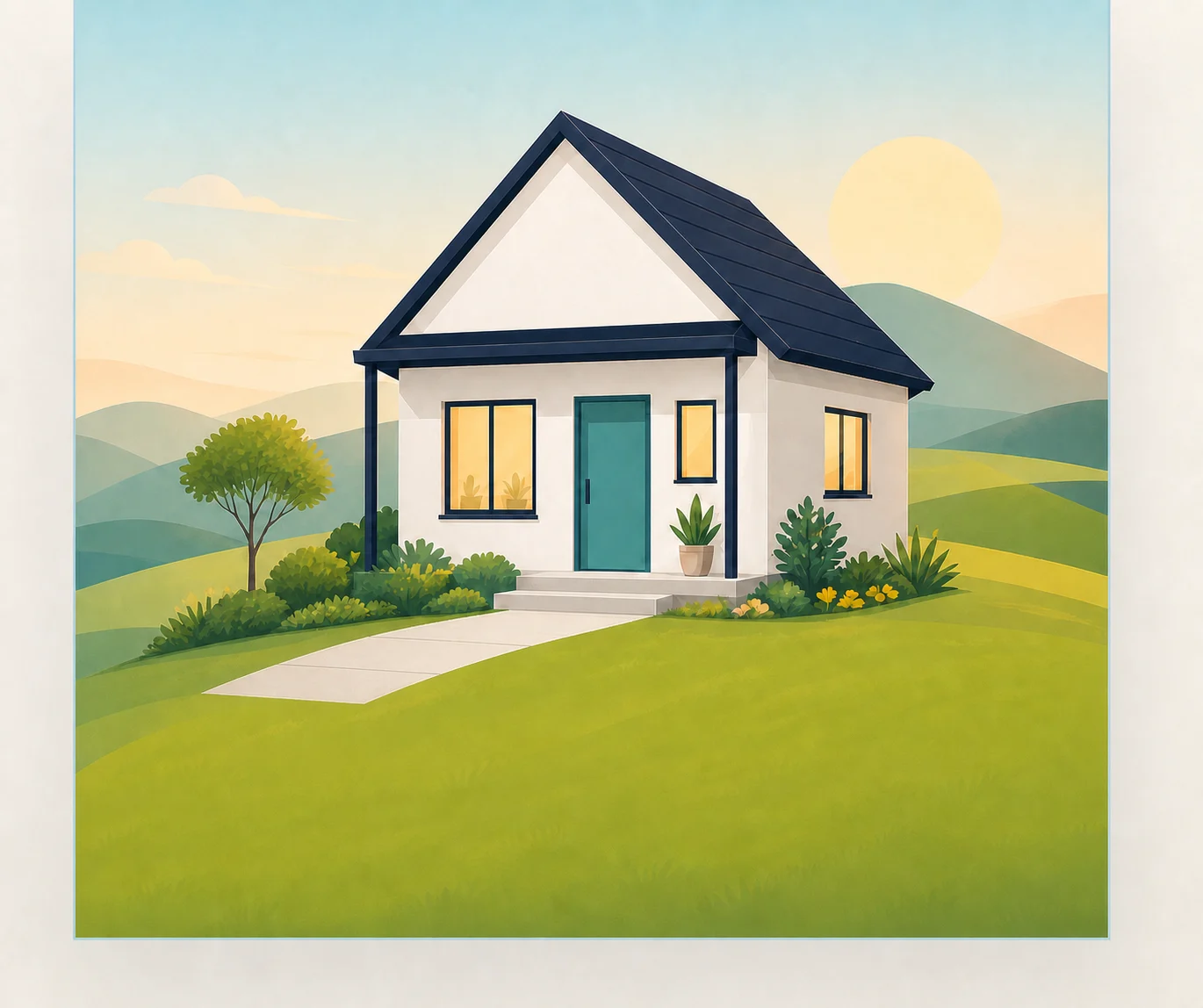
What is Remote Support?
A layer of safety around the life someone already lives.
Remote Support uses privacy-first sensing you choose with your team — thermal sensors that read heat patterns, and, where a clearer view helps, a privacy-masked camera — plus a two-way communication device. During scheduled support shifts, a trained Ability Matters associate watches only the agreed-on view, so a real person is there to notice and respond when something isn’t right.
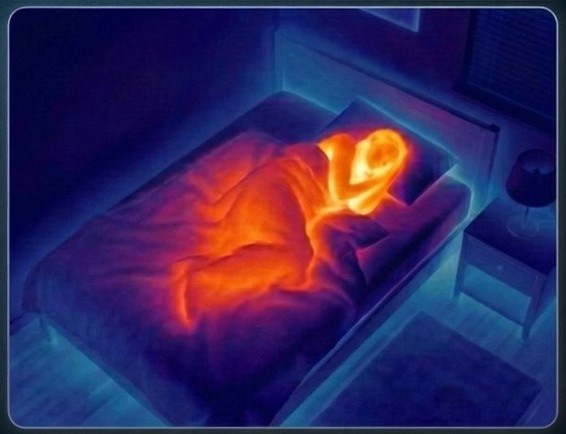
It’s designed with privacy in mind. Thermal sensors read heat patterns, not photos or video. The goal is a safe, supportive home where someone can live as independently as possible — knowing help is there the moment it’s needed.
How it works
Four steps, with a real person in the loop.
- Step 1
Unobtrusive sensors
Privacy-first sensing you choose — thermal heat-patterns, and/or a privacy-masked camera — plus a two-way communication device, placed only where you agree. Bathrooms are always off-limits.
- Step 2
A person is watching
During your scheduled support shifts, a trained associate monitors the live, privacy-safe view and records what they see at least once an hour.
- Step 3
Staff respond
If the associate sees something that needs attention — a fall, someone up at an odd hour — they respond: speak through the device, send paid backup, or call for help.
- Step 4
Independence stays
Whatever’s used is masked — warmth and movement, never an identifiable face. Life goes on at home, with a privacy-safe safety net underneath it.
Who it’s for
Built for people who want more independence — and the families beside them.
What’s included
Everything needed to make home a little safer.
- Privacy-first sensing, your choiceThermal heat-patterns (no images), or a privacy-masked camera where a clearer view helps.
- Two-way communication deviceSo staff can check in and the person can reach a real person, instantly.
- Agreed-on coverage onlyPlacement is documented in the ISP and guardian-approved; bathrooms are always off-limits.
- The Guardian family appKeeps approved family in the loop, the way the person chooses.
- Paid backup staff who respondTrained people on duty — ready to act, not just to alert.
Privacy & dignity
Never an identifiable image of your loved one — by design.
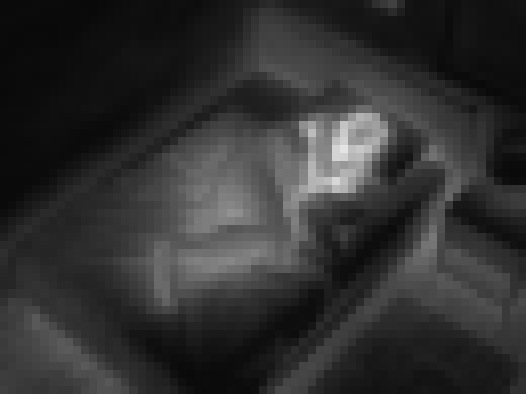
Remote Support was built privacy-first. You choose the sensing with your team — thermal in private areas, a privacy-masked camera where it helps — and a trained associate sees only the agreed-on view, never an identifiable image. Placement is documented in the ISP and guardian-approved, and bathrooms are always off-limits. This is everything the system ever sees.
What the system actually sees
You choose the sensing that fits. On the left, the thermal view and its filters; on the right — if you choose a camera — how it’s masked. Try both.
How privacy is protected
- Thermal sensors read heat patterns — not photos or video.
- Where a camera is chosen, it’s privacy-masked (pixelated) and the microphone is set the way you’ve agreed.
- Data is encrypted, and every access is audited.
- We will never sell anyone’s data.
Your rights, always
- Consent is yours — you can withdraw it at any time.
- Any more-intrusive measure requires Human Rights Committee review first.
- You choose what’s used, where it goes, and who in the family can see it.
- The plan is built around the person — not the technology.
Powered by Medforall — privacy-first sensing technology built for the people Ohio serves.
Important
Remote Support adds a layer of safety — it doesn’t replace your DSPs, family, or natural supports.
Thermal sensing detects changes in movement and routine. It is not a medical device and does not diagnose or monitor medical conditions.
Questions families ask
The things you’re probably wondering.
Is someone watching a live camera of my loved one?
You choose the sensing with your team. In private areas it’s usually thermal — heat patterns, not images. Where a camera helps in a shared space, it’s privacy-masked and the mic is set the way you’ve agreed. Either way, never a clear, identifiable picture — and bathrooms are always off-limits.
Who will be watching — and are they trained?
A trained Ability Matters Remote Support Associate. Everyone passes background checks and completes Ohio-required training before they ever support someone.
Is my loved one’s information kept private?
Yes. What’s collected is encrypted, every time it’s accessed is logged, and it’s never sold. You decide what’s used and who in the family can see it.
What happens in an emergency?
The associate watching the privacy-safe view can see when something looks wrong and responds right away — speaking through the device, sending paid backup, or calling for help. A real person makes the call, not an automated alarm.
Does this replace our staff?
No. It adds a layer of safety around the support you already have. Your DSPs, family, and natural supports stay exactly where they are.
What does it cost?
For people on a DODD waiver (Individual Options, Level 1, or SELF), it’s a covered service — usually no cost to you. Your SSA adds it to the ISP, and we help you through it.
What if we move?
In most cases it moves with you. The equipment comes along, and we review the setup in the new home so coverage stays right.
What if the internet or power goes out?
The equipment is set up to handle brief outages. If one lasts longer, the team is notified and checks in another way until it’s back — nothing is left to chance.
Can we stop at any time?
Yes. Consent is yours — pause or withdraw whenever you choose. Anything more intrusive always needs Human Rights Committee review first.
How do we get started?
Reach out, or ask your SSA about adding Remote Support to the ISP. We’ll handle the setup and walk you and your family through every step.
Ready to talk about Remote Support?
Tell us a little about the person you care for, and we’ll walk you through whether Remote Support is a good fit — no cost, and no commitment to ask.
Already working with an SSA? Ask them about adding Remote Support to the ISP — it’s a covered service, and we’ll help you make the case.
More from Ability Matters
Explore our other services.
The privacy-first sensing technology behind Remote Support, built for the people Ohio serves.